
Hello Burnfitters!
We have new update!
It’s a small but powerful update that helps burnfitters to manage their workout plan more effectivtly
•
“Workout Start” button updated with new timer UI
•
Minor bug fix

“Workout Start” button updated with new timer UI
Many people asked us this question “Where is the start button?”
Well..First, we didn’t know why users want the start button when you can simply check the exercise sets. But once we test this feature, we realized this actually feel much better. So here it is!
Start button with Timers
Because we thought the Workout timer and Rest timer should be positioned right next to the start button for intuitive UI, we changed the position of those two.
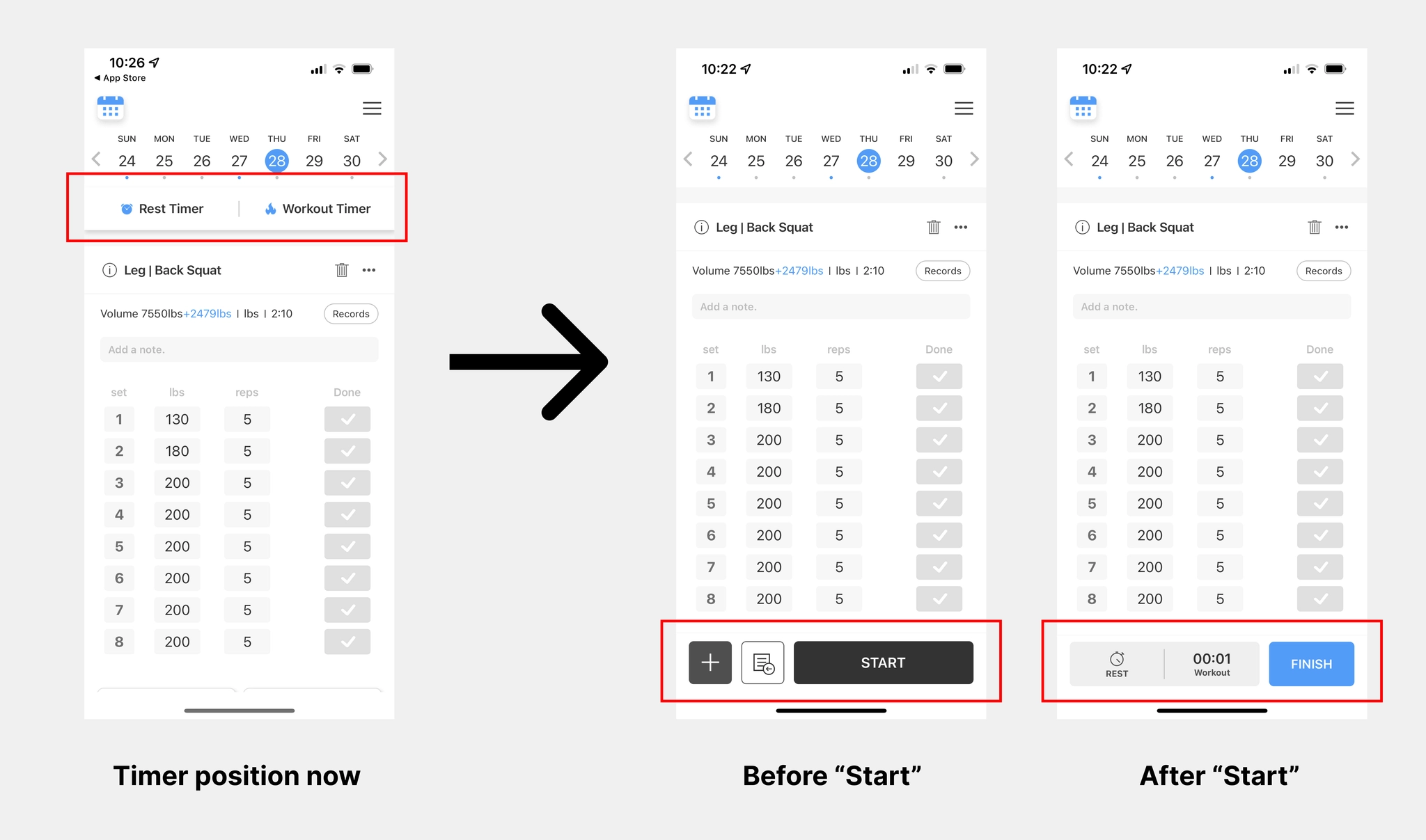
Before clicking the “Start” button, you can add a new exercise and load the previous exercise.
After clicking the “Start” button, you’ll see a workout timer and rest timer.
You can still add exercises and load previous exercises by clicking the button at the bottom of the page
Workout plan in the past & workout plan in the future
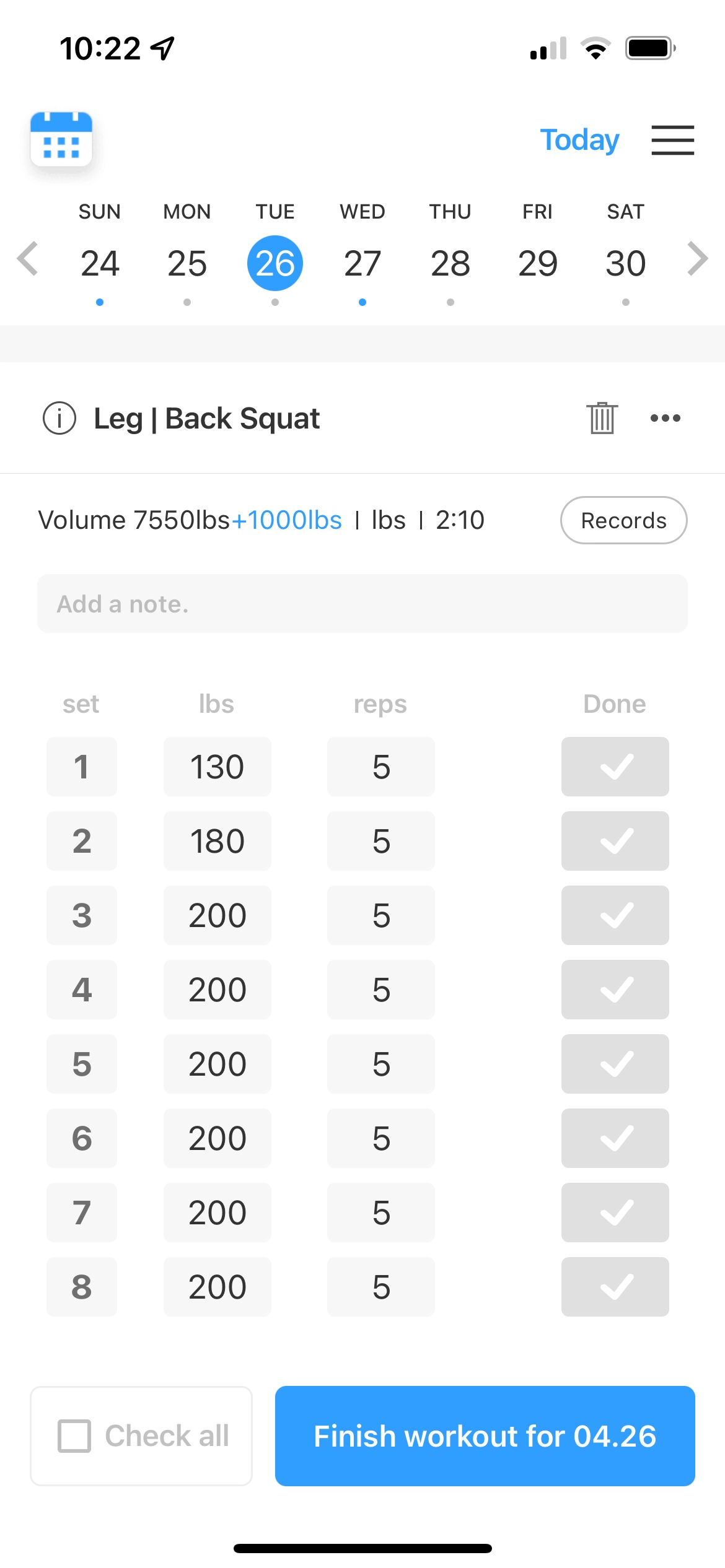
Workout plan in the past
Because we don’t provide a timer for workout plans in the past, you can only use the “check all” and “finish workout” buttons.
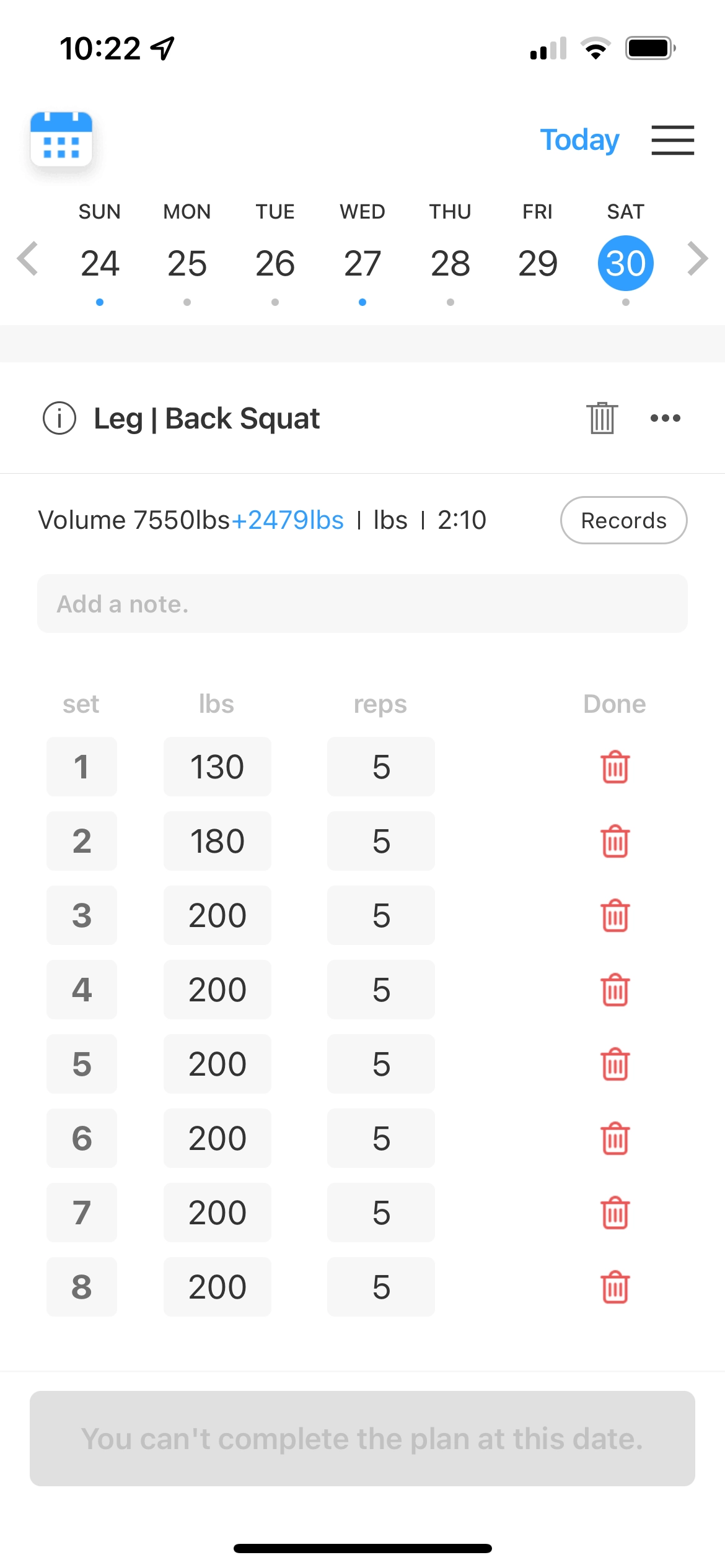
Workout plan in the future
Fot workout plan at the future, we don’t provide timer nor the feature to complete the plan.
Bug fix
Few minor bug and UI fix
Need an easy way to track your routines and workouts?
If you want to save yourself time and energy while logging your workout, check out BurnFit. It’s the most intuitive and straightforward workout tracker & planner you’ll find. It’s designed to help you get bigger, stronger, and more athletic. Whether creating your own workout plan pre-workout or following tailor-made strength programs, BurnFit provides everything you need to get better results from every workout.